Email Triage at the
Speed of Thought

AI-powered email client that helps professionals process their inbox 10x faster. One-line summaries, embedded action links, and keyboard-driven workflows.
Tri@ge Inbox
w/ Tri@ge
Normal Inbox
Normal
1.8s
Avg. Processing Time
92%
Processed in <3s
w/o opening
10x
Faster Than Traditional

Built for Speed and Intelligence

Every feature designed to help you reach inbox zero faster

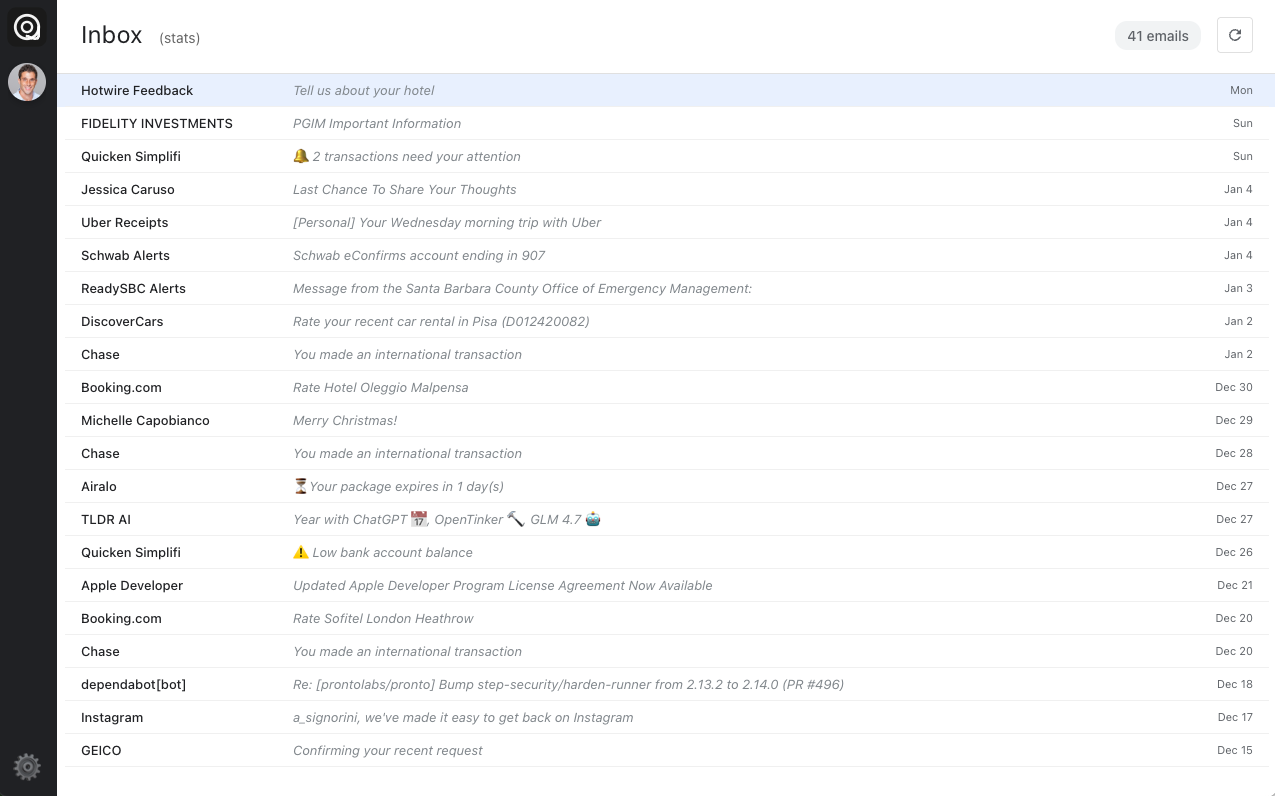
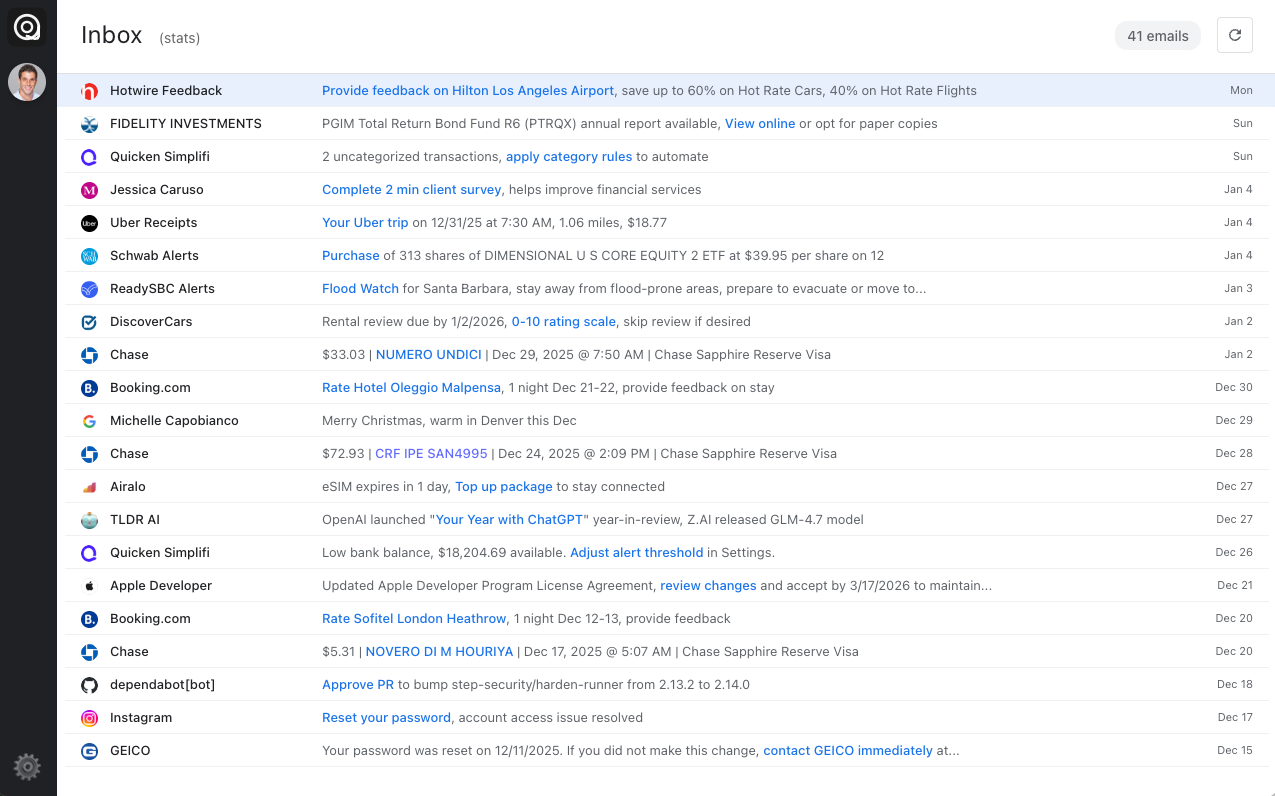
One-Line Actionable Summaries

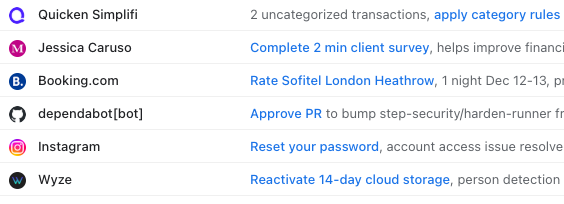
Intelligent model condenses every email into a single, actionable line with embedded clickable links. See what matters instantly and take action with one click—book that flight, view that invoice, or track that package—without opening the email.

  • Smart Automatic summarization from content
  • Links embedded in summary
  • Smart action phrase detection
AI-generated email summaries with embedded action links

Custom Prompts

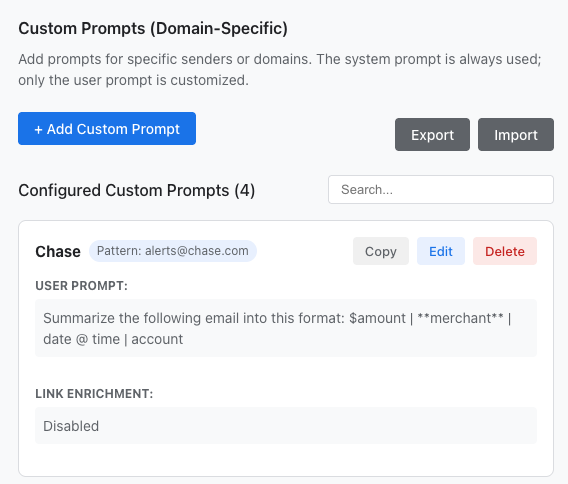
Tailor AI summaries to your needs with custom prompts for specific senders. Configure different summarization styles and extract specific information patterns that matter to you.

  • Sender-specific prompt customization
  • Extract key information automatically
  • Save and reuse prompt templates
  • Override default summarization behavior
Custom prompts configuration

Keyboard-Driven Workflow

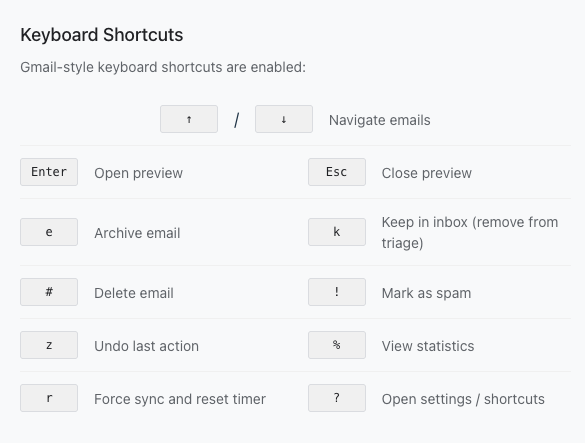
Gmail-inspired shortcuts let you fly through your inbox. Navigate, archive and delete without touching your mouse.

  • Navigate emails
  • e Archive • # Delete • ! Spam
  • Enter Preview • Esc Close
  • z Undo • % Statistics • ? Help
Keyboard shortcuts reference

Automatic Unsubscribe

Press ! on a promotional email and Tri@ge automatically unsubscribes you. For emails with one-click unsubscribe (RFC 8058), a background POST request is sent instantly. For others, the unsubscribe link opens in your browser. Detects unsubscribe URLs from headers and email body content.

  • One-click unsubscribe (RFC 8058) support
  • Unsubscribe header and links detection
  • One-key unsubscribe workflow
  • Toggle on/off in settings
!
Smart Spam Handling

Mark as spam instantly unsubscribes and deletes—no more unwanted emails.

Track Your Efficiency

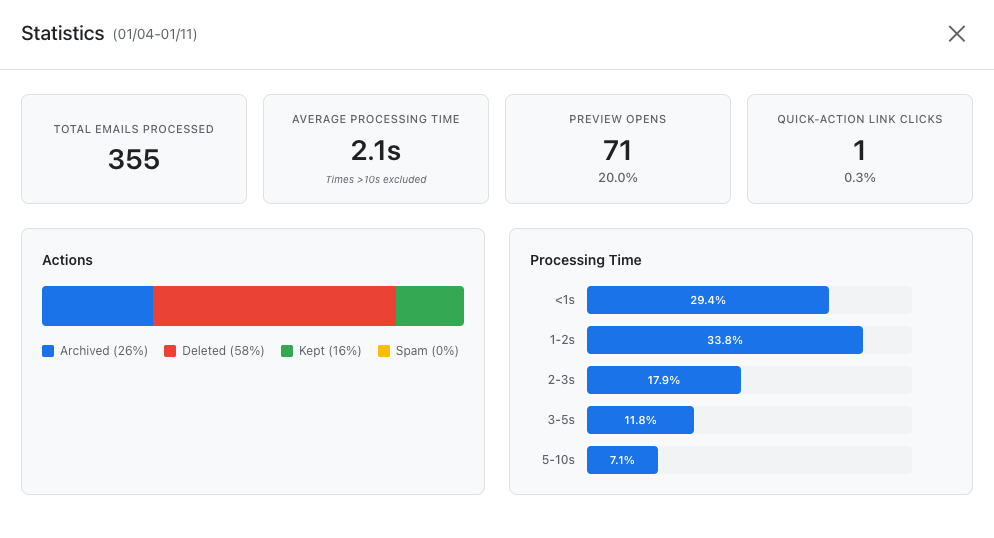
Built-in analytics track every action. See exactly how much time you're saving and how you're processing emails. 30-day rolling statistics with processing time histograms.

  • Processing time per email
  • Action distribution (deleted, archived, kept)
  • Preview open rate
  • Quick-action link clicks
Email processing statistics dashboard

Privacy-First Architecture

Your emails stay on your machine. No backend servers, no cloud storage. All data cached locally with offline mode support.

  • Local-first data storage, no servers
  • OAuth 2.0 with PKCE
  • Offline mode with cached emails
🔒
Enterprise-Grade Security

No backend servers. No data collection. Your inbox, your control.

Local AI Model Coming Soon

Run AI summaries entirely on your machine with a local language model. Zero data leaves your device—complete privacy without compromising on intelligence.

  • Fully offline AI processing
  • No API keys required
  • Requires only 2GB of RAM
  • Same quality summaries, 100% private
🧠
Complete Privacy

When using the local model, absolutely zero data leaves your machine. Process sensitive emails with confidence.

See It In Action

Watch how fast you can process 10 emails with keyboard shortcuts

10 emails Processed
18 seconds Total Time
1.8s Per Email

Try Tri@ge Today

Free and open source. Available for macOS, Linux, and Windows.